Nimo AI by Exirom
Troubleshoot payments without opening your laptop.
Nimo alerts you when approval drops, tells you why with the payments behind it, and drafts the note for your provider. All on your phone.
Animation on a phone: an approval-drop alert for Willow Market lands on the lock screen. The user asks Nimo why. Nimo answers that Willow Market only routes to Pellaro, which approved 200 of 800 payments today, with a merchant table. Most failures are PROVIDER_MID_INACTIVE; Nimo offers to check accounts, finds Pellaro_Willow_EUR and Pellaro_Willow_GBP, shows example payments and says it is a likely setup issue at Pellaro, not confirmed. The user asks for a note and Nimo drafts one, not sent. Example data.

Something broke. You're not at your desk.
Watch Nimo work
From alert to a clear note for your provider. Ask. Understand. Act.
In short: Nimo is the AI assistant in the Exirom back office and mobile app. It reads your payment data, explains what changed with the numbers behind it, and drafts the note for your provider. It acts only when you ask.
8:14 · Step 1
Nimo alerts you when approval drops
Willow Market is at 25% today. It usually runs at 80%. The alert lands on your phone, wherever you are.
8:15 · Step 2
Ask why, in your own words
Open Exirom on your phone and ask. No dashboard, no filters, no laptop.
8:16 · Step 3
Talk it through, like with a colleague
Nimo shows the provider, the error codes and example payments, says what it can't confirm, and offers the next check. Say yes, and it finds the two accounts behind it.
8:17 · Step 4
Send your provider a clear note
Nimo drafts the note with the errors it saw and example payments. You review it and send it.
Answers usually take under a minute or two. Example data.
Book a Nimo demoBack at your desk
Same Nimo in the back office
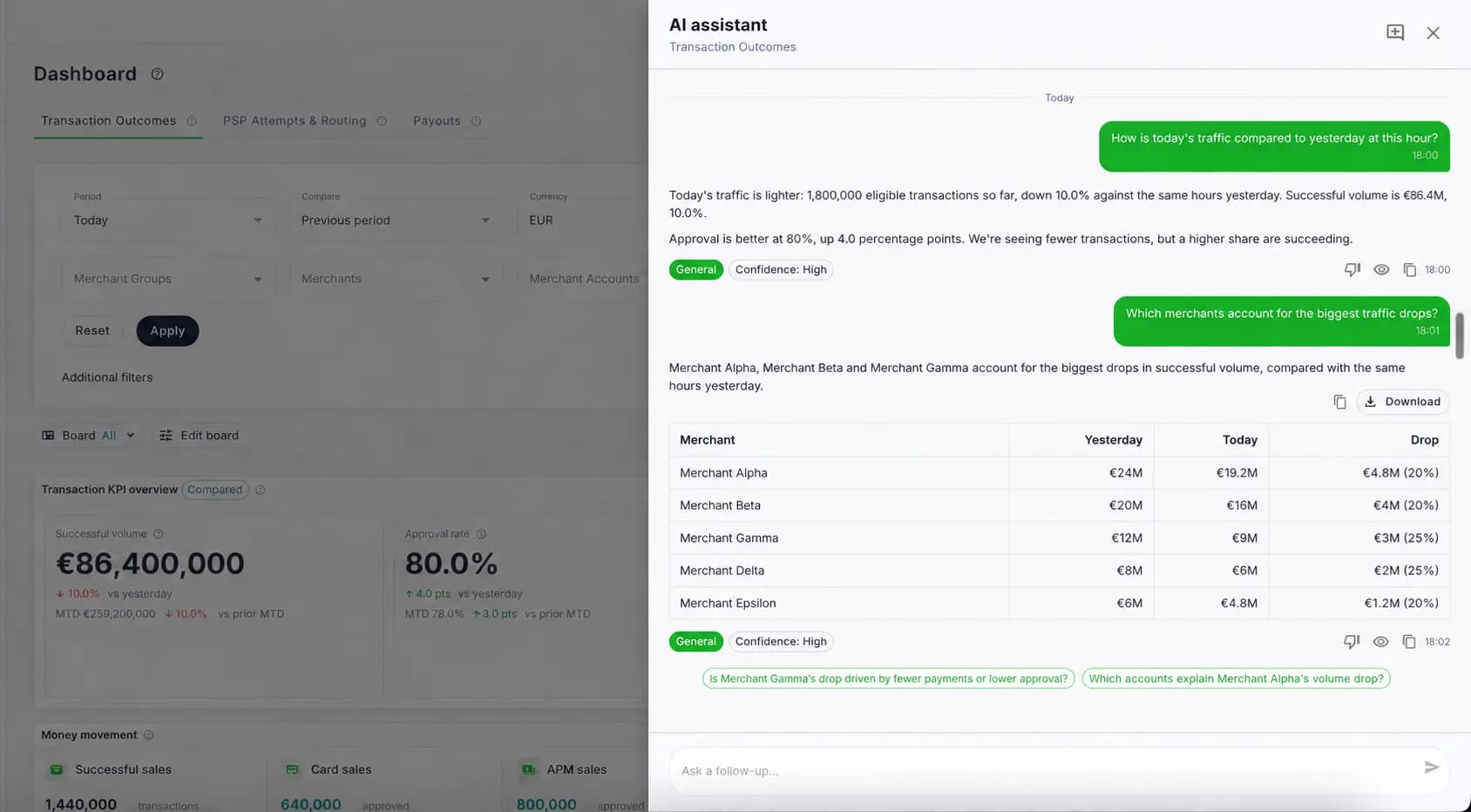
Ask from the dashboard view you have open. Real Nimo screens, example data.
The Nimo film · 41 seconds
Approval just dropped. Your laptop's at home.
Watch an ops lead go from alert to a drafted provider note at the gate, on her phone. Tap a chapter to jump to it.
Built to explain
Nimo explains. You decide.
Answers you can check. Nimo acts only when you ask.
Acts only when you ask
Nimo acts only when you ask. In this demo it drafts the note, and you decide whether to send it.
Says what it can't confirm
Every answer shows the numbers behind it and a confidence tag.
No raw card data
Card numbers come back masked at most.
Scoped to your user
Nimo sees only the merchants, accounts and data your back-office user can see.
Want your own AI agent to read the same data? See Nimo AI and MCP.
FAQ
Nimo on your phone: questions
Does Nimo work on my phone?
Yes. The daily payments briefing and approval-drop alerts arrive in the Exirom mobile app, and you can ask Nimo questions there in your own words. Nimo is also in the back office, next to the dashboard view you have open.
Will Nimo change anything without asking?
No. Nimo acts only when you ask. In this demo it investigates, explains and drafts the note for your provider, and you decide whether to send it.
Where do Nimo's answers come from?
From your Exirom payment data, read through tools, not from the model's memory. Each answer shows the numbers and example payments behind it, a confidence tag, and what Nimo can't confirm.
How long does an answer take?
Answers usually take under a minute or two, depending on the question and how much data it covers.
Does Nimo see card numbers?
No raw card data. Card numbers are masked at most, and Nimo sees only the merchants, accounts and data your back-office user can see.
Can I connect my own AI agent too?
Yes. The Exirom MCP server gives MCP-compatible AI agents read-only access to the same payment data. See Nimo AI and MCP for setup.
Guides
Guides for payment operations teams
- How to increase iGaming deposit approval ratesRaise iGaming deposit approval rates with BIN, country and currency routing, cascading on soft declines, 3DS and per-provider monitoring.8 min read
- How to reduce chargebacks in payment operationsReduce chargebacks with chargeback alerts and auto refund, 3DS, velocity rules, clear descriptors, a fair refund policy and daily monitoring.7 min read
- Read-only MCP for payment operations: what it is and how to use itA read-only MCP server lets AI assistants look up payment data without changing anything. Learn what it does, what to ask it and how to start.6 min read
New to a term? Payments glossary
See Nimo on your own payment data
Small senior team. Talk to the people who built it.